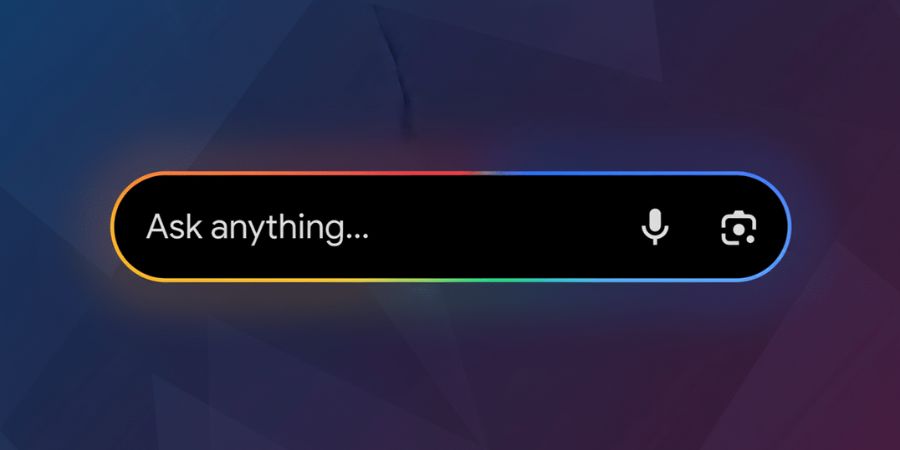
Search is evolving very perceptibly, and one of the main factors for the change is Google AI search. Google has lately added a new Google Search plus button in the Search bar which makes it possible for a user to upload an image to Google Search or upload a document to Google Search directly. With this Google search AI upgrade, users can get AI generated responses in the same tool without making a switch to another tool or interface. This is not just a small change of the interface. It signals a larger shift to an AI-powered search experience that integrates normal search with conversational AI search.
The new Google Search plus button, the function of the button in Google AI Mode, the location of the button in Google Gemini search, the effect of the button on users and businesses, and the future of Google search with AI are some of the aspects that are connected. They all together indicate the changes that the Google AI search is bringing in the way we find, understand, and get the information.
What the New Plus Button Is
Google has quietly rolled out the Google Search plus button on the left side of the search bar on Google.com. This Google search AI feature allows users on desktop to upload images or upload documents to Google Search directly. Once a file is uploaded, the experience no longer looks like traditional search. Instead, it activates Google AI Mode and starts an AI driven search experience.
Earlier, anyone wondering how to upload files in Google AI search had to perform multiple steps. Users would run a normal search, enter AI Mode, then upload a file. With the Google plus button upload images and documents option, those steps disappear. The new Google search AI update drops users straight into conversational AI search.
The tooltip simply says Upload files or images. There is no loud AI label. This design choice reinforces Google’s strategy of blending Google AI search naturally into standard search behavior rather than separating it as a novelty.
What Happens When You Upload a File
When you click the plus button and choose an image or document, the experience does not lead you to image search results or a standard links page. Instead, Google’s AI Mode loads and begins a conversational session powered by Google’s advanced AI models. You can then:
- Ask questions about the content of the uploaded file,
- Request summaries of documents,
- Get explanations of graphs or screenshots,
- Clarify image details.
This is different from Google Lens, which is built for visual recognition tasks such as identifying objects or translating text from images. The new plus button goes beyond recognition. It aims to help you understand meaning in documents and pictures, building answers rather than just presenting visual matches.
Behind the Feature: Google AI Mode Explained
To get the gist of the Google Search plus button, one should be familiar with Google AI Mode first. AI Mode is the way Google communicates with its AI based Google search. It was introduced in the beginning of 2025 and is considered as a major Google search AI upgrade.
With Google AI Mode, one can ask complicated questions, give follow-up prompts, and have long conversations, all in one thread. It is based on Google Gemini search models and is capable of handling multiple inputs. In one seamless interaction, a user can type, say, upload an image or a document to Google Search.
This is essentially the core of Google’s conversational AI search future. The plus button is a way to quickly get there, thus, more people without thinking about modes or settings get AI powered search experiences.
Why This Matters: A Shift in Search Interaction
The point is: Search is not only about keywords and links anymore. Google’s comprehensive AI plan has been targeting the users to get them to the AI-generated, AI-assisted answers.
One of the elements that have been powered by AI and launched by Google progressively is:
AI Overviews that are able to get the gist of the search results, AI Mode is for deep conversational answers, Canvas is a tool to get organized with your information coming from different queries.
The plus button works this way. It quietly changes the direction of the users turning them from a regular search flow into the AI-assisted one. The user instead of being handed to the next page of links and thus going on with his research, he is provided with the direct, synthesized information that combines what is in his uploaded file with the relevant sources from the web.
Why This Design Decision Still Has Its Importance
First of all, the decision to change the design of the search with the plus icon removing the old one is very simple. It helps the work to be done without any obstacles. With a single click now, you initiate your AI-assisted journey.
Second, it shows that Google is getting searchers used to the idea that AI should be treated as just another tool when searching.
What Users Will Notice
Here are some real ways that the new plus icon alters the user experience:
Less Navigation
Users will no longer have to remind themselves that first, they need to go to AI Mode if they want to upload a file. This is particularly important for workflows that use documents like PDFs or spreadsheets where the main goal is to extract the meaning.
Faster Results
Aside from the merits of cutting down on steps, Google also makes it fast to have the answer coming from a file. It is equally helpful if you want to summarize notes, identify an object in a picture, or get the content explained to you in detail.
More Conversational Search
Instead of being provided with links, users actually start with a conversation. The point is that if you want to ask the uploaded content more questions then follow-up can be your next step. The ability to go deeper without having to reformulate your query is at your disposal.
How This Affects Businesses and SEO
This modification is a harbinger of great changes for those involved in content creation and search marketing.
Traditional SEO has always been about getting pages ranked on the first page of the search results. However, with the introduction of AI Mode as a mainstream search way, the scenario is changing drastically:
People may receive answers from AI without the need of clicking on links.
AI Mode, by integrating contents into synthesized responses, may cause website traffic to change in volume and direction.
To maintain their standing, creators have to make their content ready for AI. This means content should be logical, coming from a reliable source, and easily understandable by machine learning systems.
It points out that much more than ever before, today’s SEO practices such as headline writing, metadata, schema markup, and producing clear, helpful content are essential because AI systems are constantly looking for context and quality when making their decisions about what to include in their responses.
Put simply, even if your content is still at the top of the first-page ranking, your presence within AI-generated responses is what will give you the most extended visibility.
Privacy and Data Considerations
If someone is uploading a file in Google’s AI mode, then that means the data in the file is being sent to Google’s servers. In such situations, users should be very attentive to the privacy settings of their Google Account. There are companies and organizations that have set some specific policies for cloud tools, and users should follow them.
Google’s terms of service lay out the details of how files are handled and stored, but it is always a good idea to be careful especially with the most sensitive documents when using any AI system.
Broader Context: Where Google Search Is Headed
For a long time, Google Search has been changing. It started as a simple system that crawled and ranked pages and later on added features such as voice search, mobile optimization, and visual search. The present stage is all about AI.
Some of the recent changes to the Search engine are good examples of this:
- AI Overviews that are capable of summarizing the results and providing rich links.
- AI Mode that allows more complex queries and even follow-up dialogs.
- With the help of integrations such as Canvas, users can now get more organized with their data coming from varied sources.
- Search live combines the assistance of AI with live video.
The recently added plus upload button is just another step in the long sequence of changes that Google has been making. It is a step that gets people closer to AI behavior rather than being just a small feature for a few people. The change is part of a larger plan where Search and generative AI are gradually getting integrated.
What This Change May Mean for the Future
This new UI element is a minute, but it is indicative of something much bigger:
First of all, AI could become an inseparable part of the everyday search. What is more, the uploads and subsequent conversations might be the usual way of working.
A further consequence is that there will be less need for links. Quite possibly users will be given more comprehensive answers patents that they won’t need to click on in order to find out more.
As a result, the requirement for well-structured and AI-friendly content will be even higher than it is now. Websites will have to make the necessary changes so as to be able to adapt.
Moreover, new behavior patterns may appear. For instance, people might begin to search more as if they were talking to a helper whereas typing keywords.
Suppose AI progressively becomes a standard feature in search interfaces, then the function of search engines will be not those that locate sources of information but rather those that interpret and explain information.
Conclusion
Google’s new plus button for uploading images and documents directly into Search’s AI Mode is a definite landmark change. It doesn’t just simplify an interface. It changes the very expectation of how users interact with search.
For users, it is a way to get quicker, more conversational answers. Creators and businesses, on the other hand, are required to make a significant SEO shift towards AI-readiness. The use of AI in Search, as it moves forward, is not seen as an add-on but rather the core of how people find and make sense of information online.
More and more people will probably be able to use this feature soon, as Google keeps encouraging searchers to get AI responses first. The time when users can throw in a visual, a document, or a text query and get a single conversational response is here. And it will determine what search will be like for the next few years.
Frequently Asked Questions (FAQs)
What is the new plus button in Google Search?
The plus button is the newly added icon on the left side of Google.com’s desktop search bar. It allows you to directly upload an image or a document when you click on it. After uploading, Google starts AI Mode, where its generative AI reviews the file and allows you to ask questions based on the file content. Thus, it is a way to get the answers without going through the usual results list.
How does clicking the plus button differ from a normal Google search?
In the usual method, after entering a query and hitting Enter key, Google returns a list of closely linked results. However, using the plus button to upload a file triggers Google to launch its AI Mode instead of showing link lists. At that point, you can have a kind of an AI assistant that understands your document and provides answers in a conversational manner.
What kinds of files can be uploaded using this feature?
Currently, images and documents like pictures and PDFs are allowed for uploading. The support for other formats is coming slowly and according to Google’s feature roadmap, it will include the files from Google Drive eventually.
Is this upload feature the same as Google Lens?
No, they are different. While both tools give you the ability to interact with images, they are not the same. With Google Lens, you get a tool for object recognition and visual search (for example, identifying objects or translating the text in images), whereas the plus button basically sends your upload directly into AI Mode from where you can ask further questions or get summaries.
What is AI Mode in Google Search?
AI Mode refers to the conversational AI assistant available within Google Search and is powered by Google’s Gemini AI models.
This interface is multimodal, i.e. it can comprehend the inputs coming from text, voice, image, or a file uploaded by a user. You may present complex or subsequent questions, and the system responds with brief answers accompanied by the relevant context and even offers related links.
Where is the plus button available?
The plus upload button can be currently found on desktop browsers at Google.com. Although it has been spotted in various areas and is even visible in incognito sessions, its availability may still differ from one account to another and by a stage of the rollout.
Do I need a Google account to use this feature?
Generally, the plus upload button is visible to you regardless of whether you are signed in or out. Nevertheless, some generative AI features in Google Search work more efficiently or get fully unlocked when you log in with a Google account.
Will uploading files affect my privacy?
Once you upload a file, Google handles it on its servers to create responses. As with any data that you send to a cloud service, you must be careful with highly sensitive or confidential information that you share. The specifics are determined by Google’s privacy policies and, in case you use Google Workspace, by any particular enterprise rules that might apply to you. (This is inferred based on how Google AI features handle uploads.)
Can I use this feature on mobile?
Currently, the new plus upload button is mostly spotted on desktops. On mobile applications, there are ways to upload images to Google Search through Google Lens and AI Mode, but the plus button is presently a part of the desktop interface.
Does the plus button replace old search functions?
No, not yet. The basic search functionality (typing in queries and getting results) is still operational as it was before. The plus button only serves as a new way to access AI Mode and multimodal search. Some researchers believe that this is the first step of Google’s gradual transition to AI-first search interactions, while at the same time, conventional search is still there.
Why did Google add this feature?
By adding the plus button, Google intends to simplify the process for users to harness the power of generative AI right from Search. The plus button is like a ticket that allows a user to quickly and easily hand over an image or document to AI Mode so that the user can receive the contextual, conversational answers he/she is looking for instead of going through a list of links.
Will this affect search engine optimisation (SEO)?
Indeed. Since AI Mode is capable of giving answers without users needing to click on links, the SEO game is changing. Content creators should now concentrate on making their content friendly for AI, well-structured, and that shows expertise, so that it is more likely to be cited by Google’s AI models.